Your Titan has monsters.
Call a witcher.

Witcher is my love letter to one of my favorite LTE UEs. Global Telecom built the Titan 4000 to last. Witcher gives it modern software fitting of the hardware: a fast panel, passthrough that repairs itself, real IPv6, and a shell that only opens for your keys.

Free under GPLv3. No cloud account, no controller, no license key. Tested on Titan 4000 Band 48 (CBRS) units.

WISPs got good by fixing their own stuff.

The ladder years

America’s independent ISPs are the monster hunters of the ISP world. They didn’t start in a board room. They started on ladders. A neighbor couldn’t get DSL, so someone with a radio and a free Saturday fixed it. We flashed our own firmware onto cheap routers. We bolted antennas to grain bins, water towers and church steeples. When something broke, we opened it on the bench, found out why, and told the next WISP.

It was loud, and a little messy. Customers stayed, because the person who answered the phone could still fix the problem.
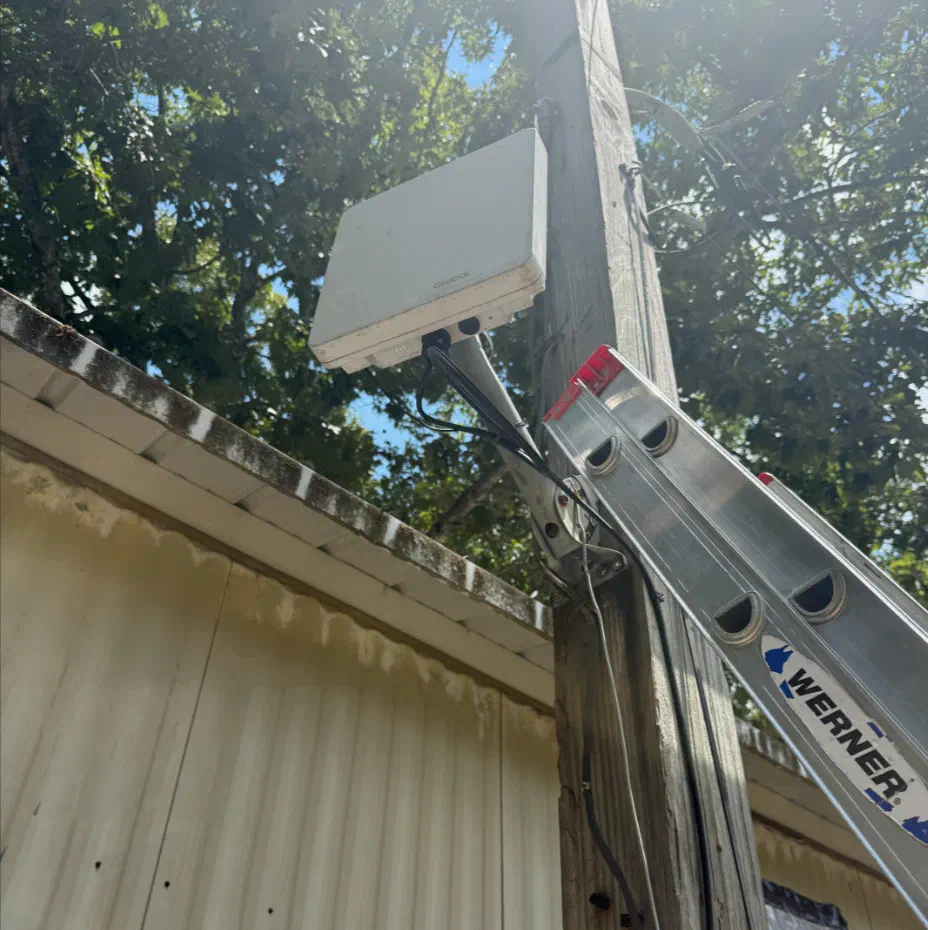
A Titan 4000 on a wooden pole beside a building, with an aluminum ladder leaned against the pole
A ladder, a pole and a Titan to aim. Some jobs never change.

The ticket years

Then the radios got better, and the firmware stayed put. WISPs picked up vendor portals, cloud controllers, license keys and software nobody is allowed to read.

A bug used to be an afternoon on the bench. Then it was a ticket, marked normal, with a fix planned for a future release.

You can live with aging firmware for years. We did. The monsters just moved into the ticket queue.

Support ticket#48213

Status
Escalated to vendor
Priority
Normal
Fix
Planned for a future release
Last update
47 days ago

Thank you for your patience.

Back on the bench

So we went back to the bench, with better tools and one radio.

The Titan 4000 is one of the best LTE radios we have ever hung on a pole. It outlasted the software it shipped with. So we opened it up, ran the monsters off the land one at a time, and wrote software that answers fast, stays up, and belongs to the WISP that runs it.

If you paid for it, you should be able to work on it.

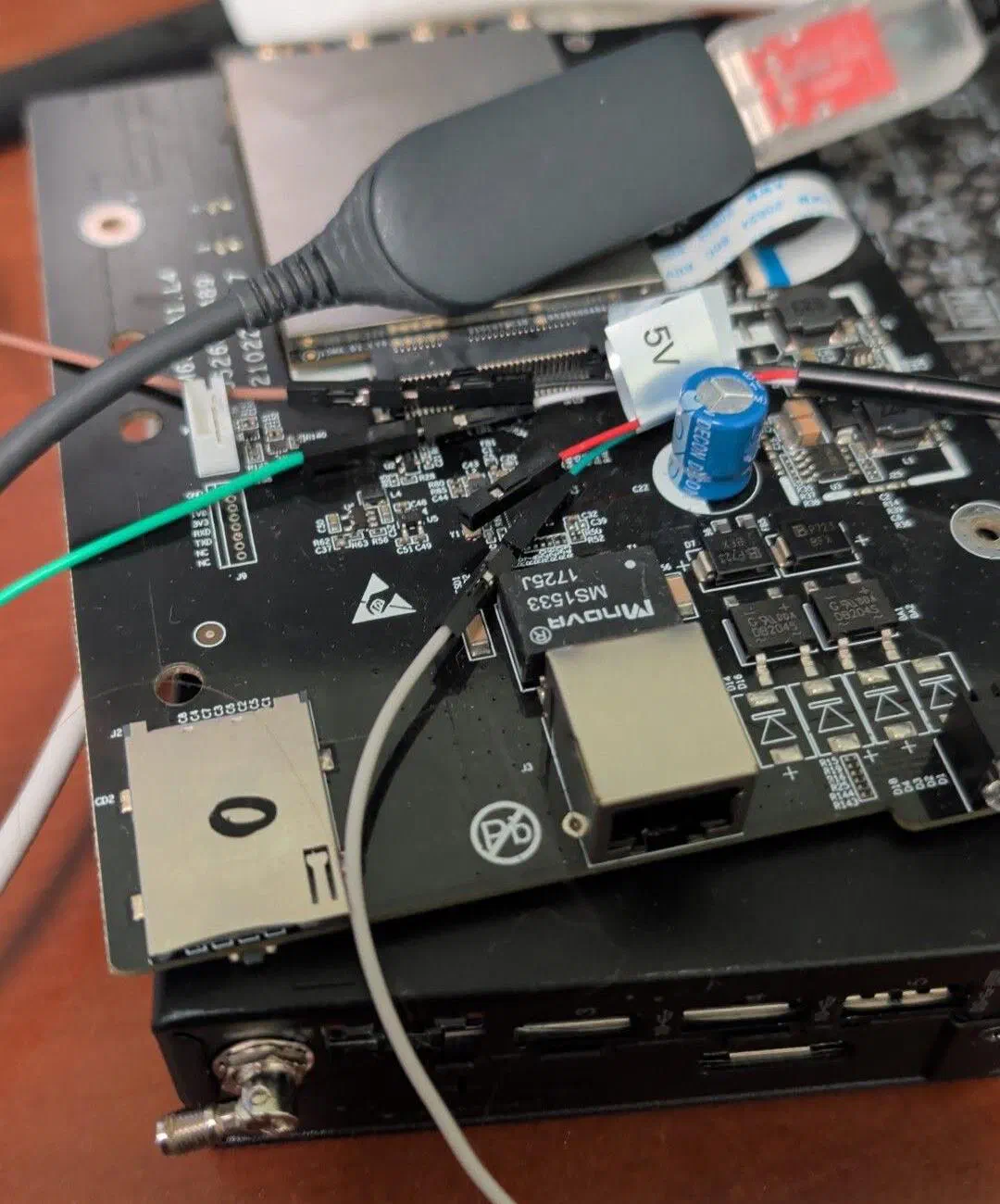
An opened Titan 4000 circuit board on a desk with jumper wires and a USB serial adapter attached
Every hunt starts on the bench, with a serial cable and a lot of patience.

“WISPs should own their stack.”

Right to repair isn’t a slogan out here. It’s Tuesday. Fix the gear you paid for. Run your network your way.

Monsters we ran off the land.

Any radio that spends years on a pole picks up a few monsters. These came off our roofs and our bench. We wrote down where each one lived, what it broke, and how Witcher deals with it. If the test isn’t done, we say so.

The Two-Second Stall

Contract I · Lair: the factory web panel

Slain
The damage
The factory panel builds each page from scratch, the way web pages worked when it was written. We timed it on one bench unit, 20 readings: a median of 2,019 ms to return the signal.
The kill
A small Rust service answered that same reading in 90 ms. One fast interface now covers desktop and phone, in light and dark.

The Copied Keys

Contract II · Lair: the factory image

Slain
The damage
Factory images carry the same TLS files and SSH host keys on every unit, a common shortcut when this firmware was built. Today a key that ships on every box protects none of them.
The kill
Witcher strips the shared keys out of the image. Each unit makes its own TLS certificate and SSH host key, and keeps them across upgrades.

The Lease Hog

Contract III · Lair: passthrough DHCP

Slain
The damage
In passthrough, the factory DHCP server held a single lease. Reboot the customer’s router, or swap it, and the new request could sit there unanswered.
The kill
Witcher’s network keeper repairs the DHCP offer, restarts a missing DHCP server, and drops the old lease when the LTE address changes.

The Prefix Eater

Contract IV · Lair: the LTE data driver

Slain
The damage
IPv6 prefix delegation wasn’t a priority when the Titan shipped. In 2026 it’s a requirement. The driver only passed traffic from the radio’s own /64, so addresses the router handed out from a delegated prefix went nowhere.
The kill
So we added it. Witcher widens two checks in the driver to the customer’s whole /56. Traffic from outside the customer’s own block still gets dropped.

The Ghost Prefix

Contract V · Lair: the customer’s router

Tracking
The damage
After an LTE re-dial, the router kept using a prefix that no longer existed. On our bench it sat broken for 27 minutes before its own timer kicked in.
The kill
The keeper answers the router’s IPv6 requests from the static block you pin, so the router hears one steady answer across reconnects.
Still to prove
One LTE re-attach passed on the bench. The long soak tests are still ahead.

The Deaf Port

Contract VI · Lair: the Ethernet port

Tracking
The damage
Sometimes the customer router stops answering on the LAN side. Pulling the cable and plugging it back in brings it back, if someone is there to do it.
The kill
Witcher checks the router every 10 seconds. Three missed replies refresh DHCP. Three more renegotiate the Ethernet link once. It never reboots the Titan or drops LTE, and it stops at three link resets an hour.
Still to prove
Proven in a simulated network. Not yet proven on the router that started it.

The Fossil Shell

Contract VII · Lair: the factory shell

Slain
The damage
The factory SSH server dates back to 2015, which is a long time in SSH years. A current client won’t talk to it without legacy flags.
The kill
titan-sshd is a modern, key-only SSH server written in Rust. Add your key in the panel and connect on port 2222. It refuses connections over the customer’s LTE bearer, and your keys live outside the firmware banks.

The Guesswork

Contract VIII · Lair: the roof

Slain
The damage
Aiming a Titan meant reading numbers off a phone from the top of a ladder and hoping for the best.
The kill
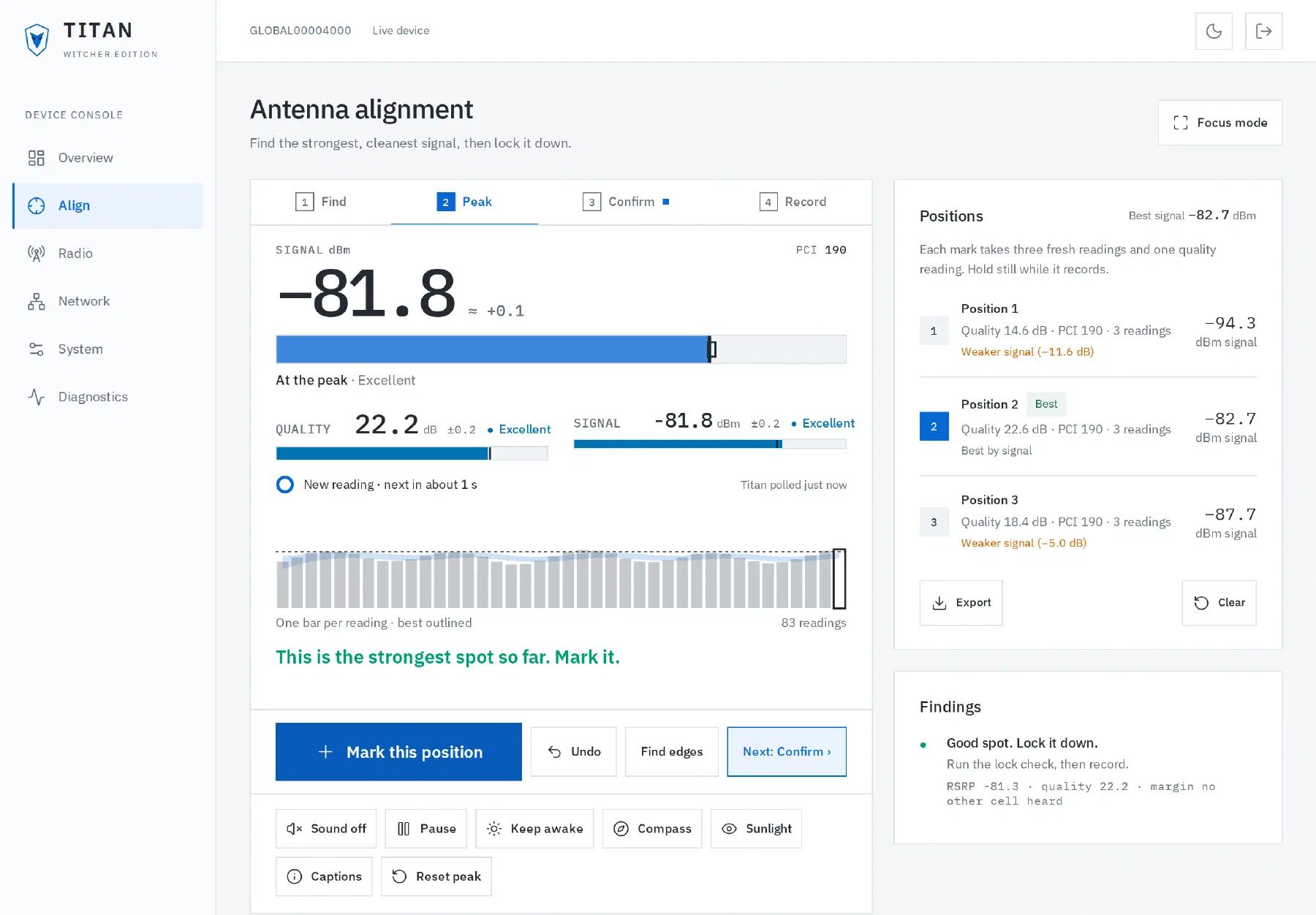
Align walks you through Find, Peak, Confirm and Record. You get live gauges, a tone that climbs as the signal cleans up, a score for every position, and a CSV when you finish.

Steel for broadband.
Silver for everything else.

Steel: broadband people feel

  • A keeper that repairs passthrough DHCP and drops stale leases when the LTE address changes.
  • A panel fast enough that techs actually open it.
  • 24 hours of traffic and radio history, stored on the unit.
  • HTTPS with a certificate that belongs to that one unit.

Silver: connectivity machines need

  • Homes run cameras, sensors, smart hubs and AI gear now. They need a link that stays up and addresses they can reach.
  • Witcher passes a delegated IPv6 /56 through to the customer router, so every device behind it can get a real, routable address.
  • The keeper holds that prefix across reconnects, right next to IPv4 passthrough.
90ms
Median signal reading on Witcher’s Rust panel. The factory panel took 2,019 ms.†
/56
IPv6 block the patched LTE driver passes to the customer’s router.
24hours
Traffic and radio history the unit keeps, saved every 15 minutes.
3an hour
Most link resets the keeper will try. It never reboots the Titan or drops LTE.

Median of 20 readings each on one bench unit, measured during development.

Everything a tech needs, on the unit itself.

A dashboard you’ll actually open.

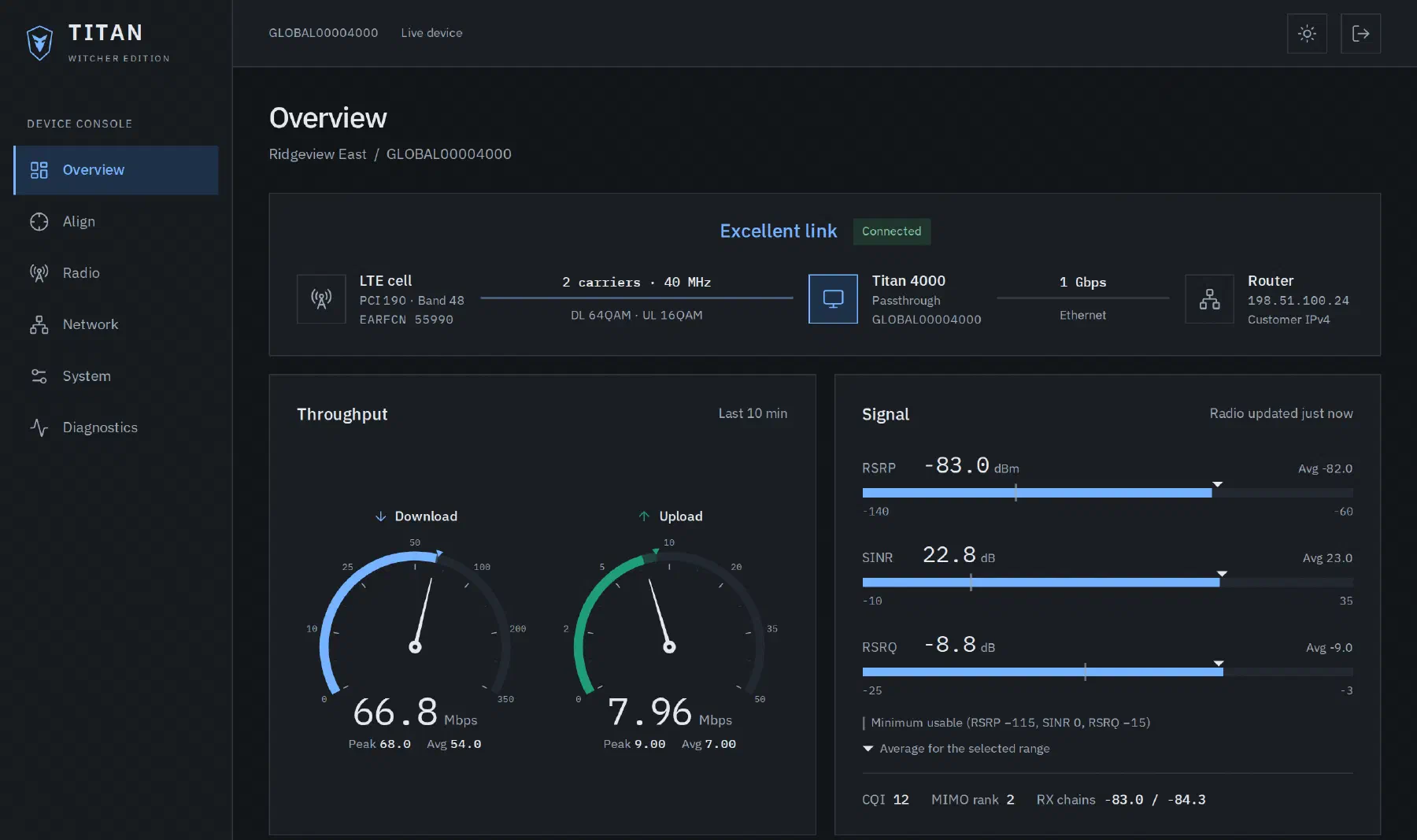
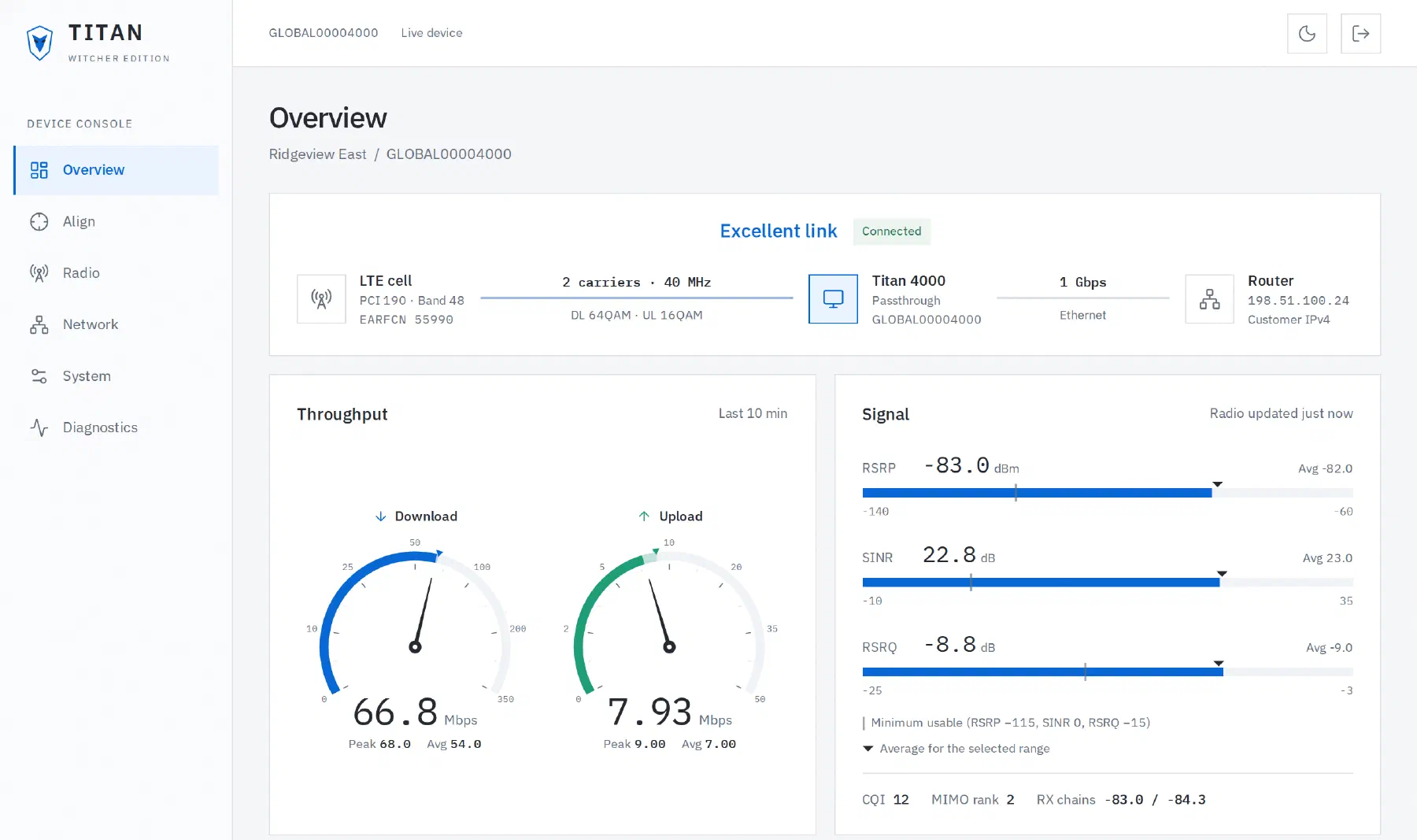
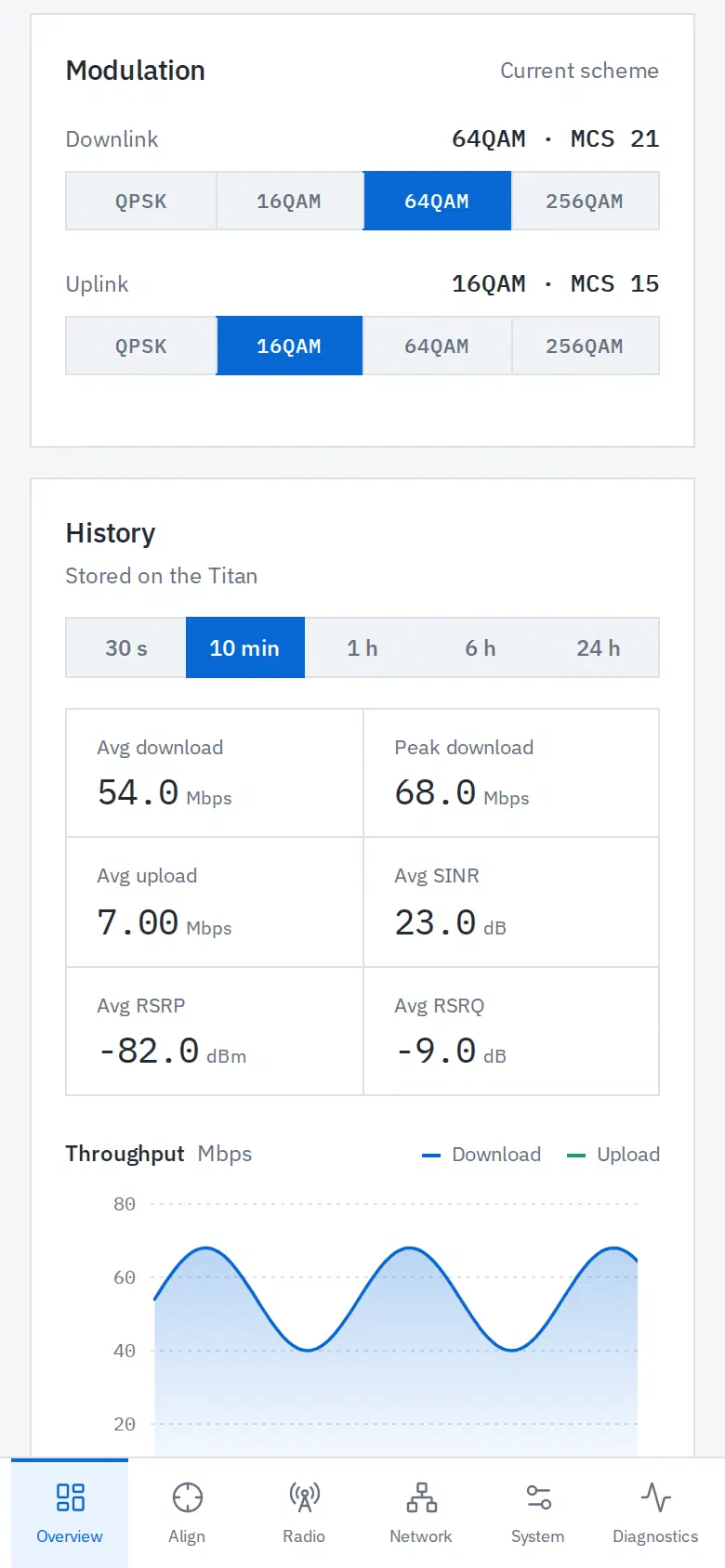
Download and upload speedometers, signal readings, carrier aggregation and modulation, plus GPS when the unit has a fix. The path from the LTE cell to the Titan to the router sits right at the top, so you can see where it breaks.

History for the last 24 hours lives on the Titan, so you can see what happened before the call came in.

Witcher dashboard in the dark theme with throughput speedometers and signal readings Witcher dashboard in the light theme
Synthetic demo data.

Aim it from the roof.

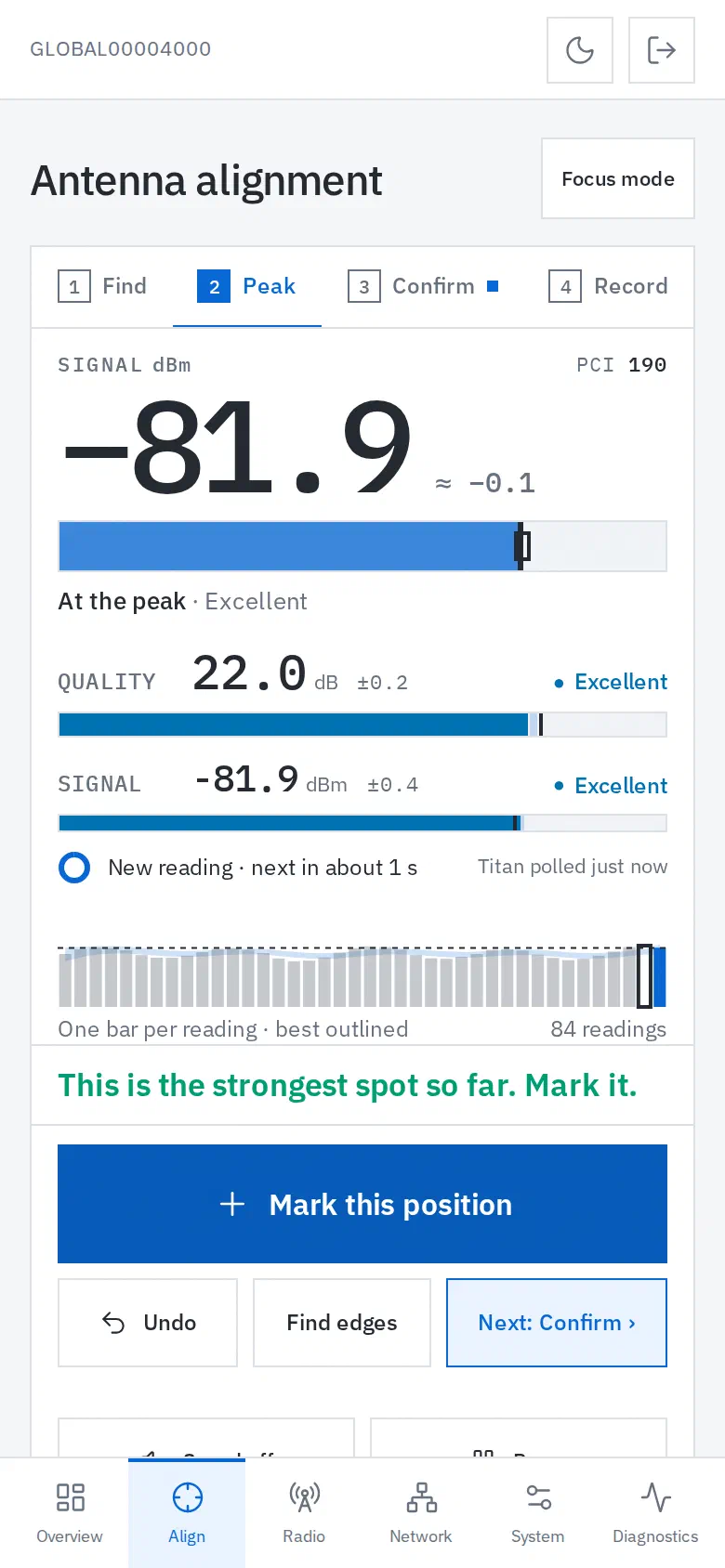
Open Align on your phone, stand at the unit, and watch the gauges. Mark a position, move the antenna, mark again. Witcher scores every spot and tells you which one wins.

Turn on the tone and keep your eyes on the bracket. Every mark uses fresh readings, so you never score an old number.

Alignment workflow with Find, Peak, Confirm and Record steps and three scored positions
Synthetic demo data.
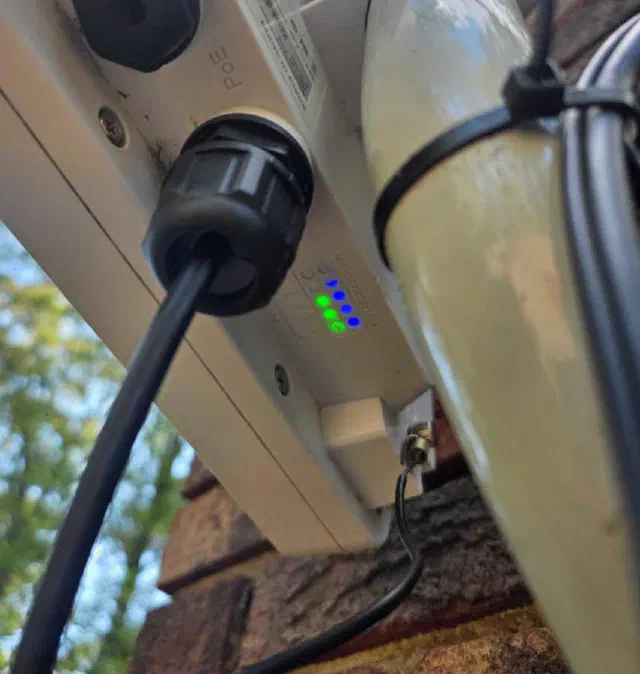
Underside of a mounted Titan 4000 with its cable gland sealed and status lights glowing blue and green
Lit up and sealed against the weather.

Real IPv6, kept alive.

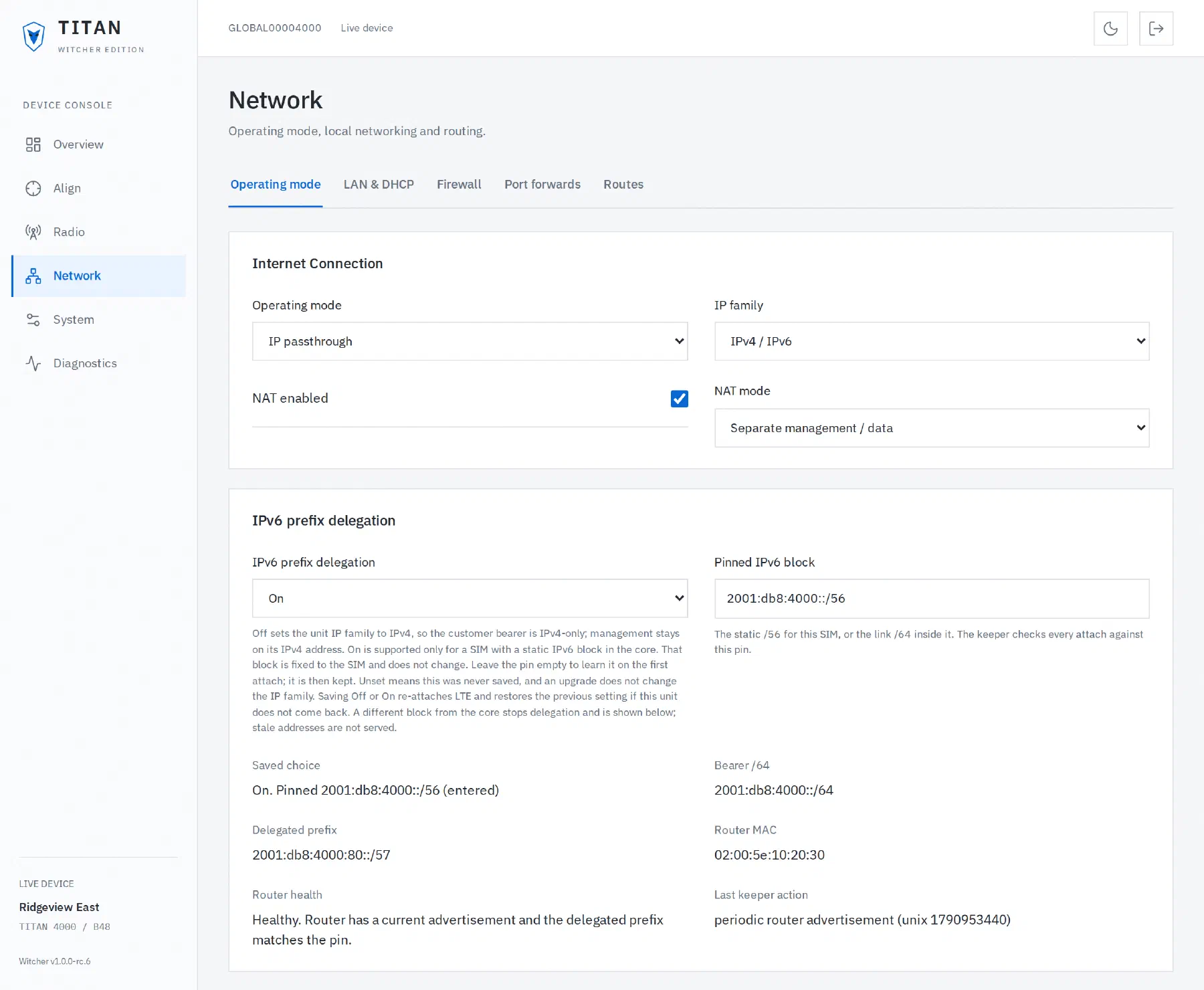
IPv6 wasn’t a priority when the Titan was built. In 2026 it’s a requirement, so we added it.

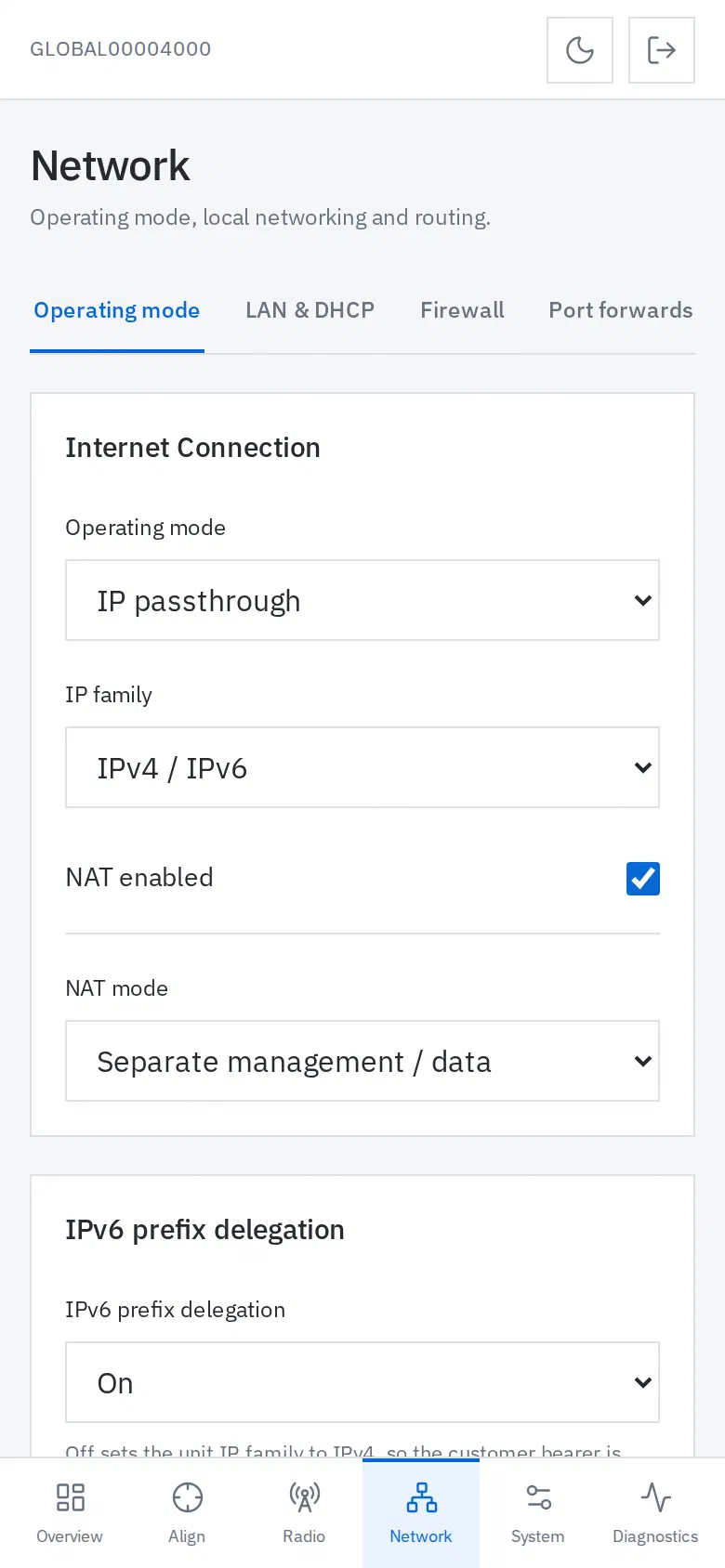
Pin the static /56 for the SIM and turn on prefix delegation. Witcher shows the bearer, the delegated prefix, the router’s health and the keeper’s last move, in plain words.

Delegation stays off until you turn it on. If the core ever hands the unit a different block, the keeper stops and shows you the mismatch instead of serving stale addresses.

Network settings with IPv6 prefix delegation on and a pinned static block
Documentation-range addresses.

A shell that knows your keys.

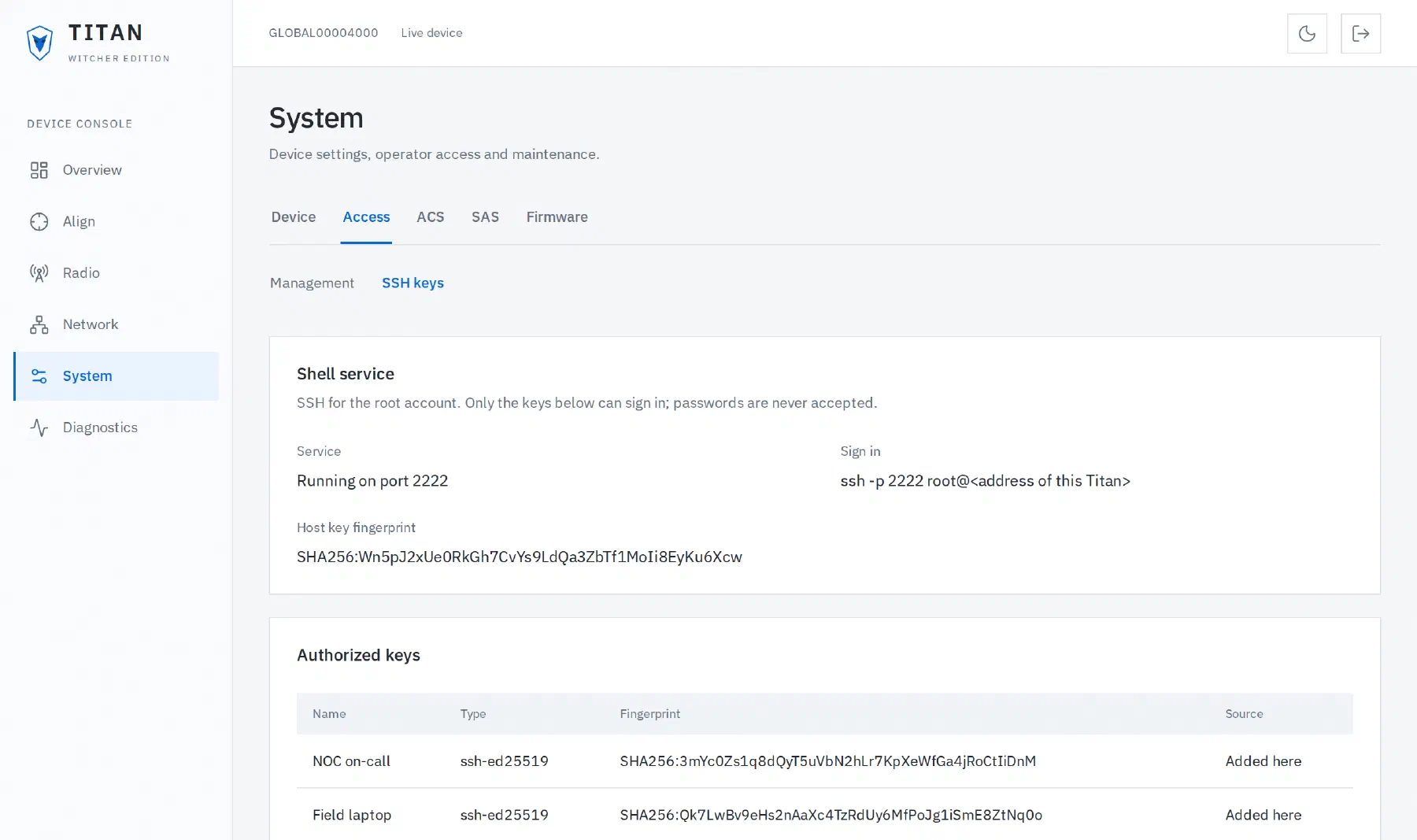
Paste a public key under System, Access, SSH keys and it works right away. Remove it and the next login fails. There is no password prompt to guess at.

Then run ssh -p 2222 root@DEVICE_IP and get to work. Your keys and the unit’s host key live outside both firmware banks, so upgrades keep them.

SSH key management screen
Invented key fingerprints.

Built for the phone in your hand.

Every screen works on a phone, in light and dark. The tech is on a roof, not at a desk.

Dashboard on a phone
Alignment on a phone
IPv6 settings on a phone

The rest of the kit.

  • Saves that check themselves

    Every settings write reads back from the unit. A stale page can’t overwrite a newer change.

  • Firmware from the browser

    Upload a new image on System, Firmware. The updater checks what it wrote and which bank boots before it restarts.

  • A way back in

    Browser recovery on port 8081 can open the factory desktop UI or retry Witcher.

  • Diagnostics that stream

    Ping and traceroute run from the unit and stream into your browser.

  • Radio control

    APN profiles, band and PCI selection, and cell scans.

  • NAT or passthrough

    Both modes, with management on every assigned IPv4 address by default.

  • Backups

    Export your settings before you change anything big.

  • No cloud required

    Everything runs on the unit. No account and no controller to install.

Install it from your browser.

  1. Download

    Grab the .prg below and check it against the SHA256SUMS file from the same release.

  2. Upload

    Use the Titan’s desktop firmware upgrade page. Already on Witcher? Use System, Firmware. Keep the power connected.

  3. Sign in

    Open https://DEVICE_IP/, accept the unit’s self-signed certificate, and sign in with the admin password you already use.

Witcher sets up its own storage and a unique TLS identity. Ethernet setup needs no internet, no terminal and no SSH keys. The login page shows the unit’s MAC address and firmware version.

Set a unique admin password first. Management is on for every assigned IPv4 address by default, in NAT and passthrough.

Changed your mind? Upload a stock .prg on System, Firmware and pick the older-image option.

Where it stands.

We would rather tell you here than have you find out on a roof.

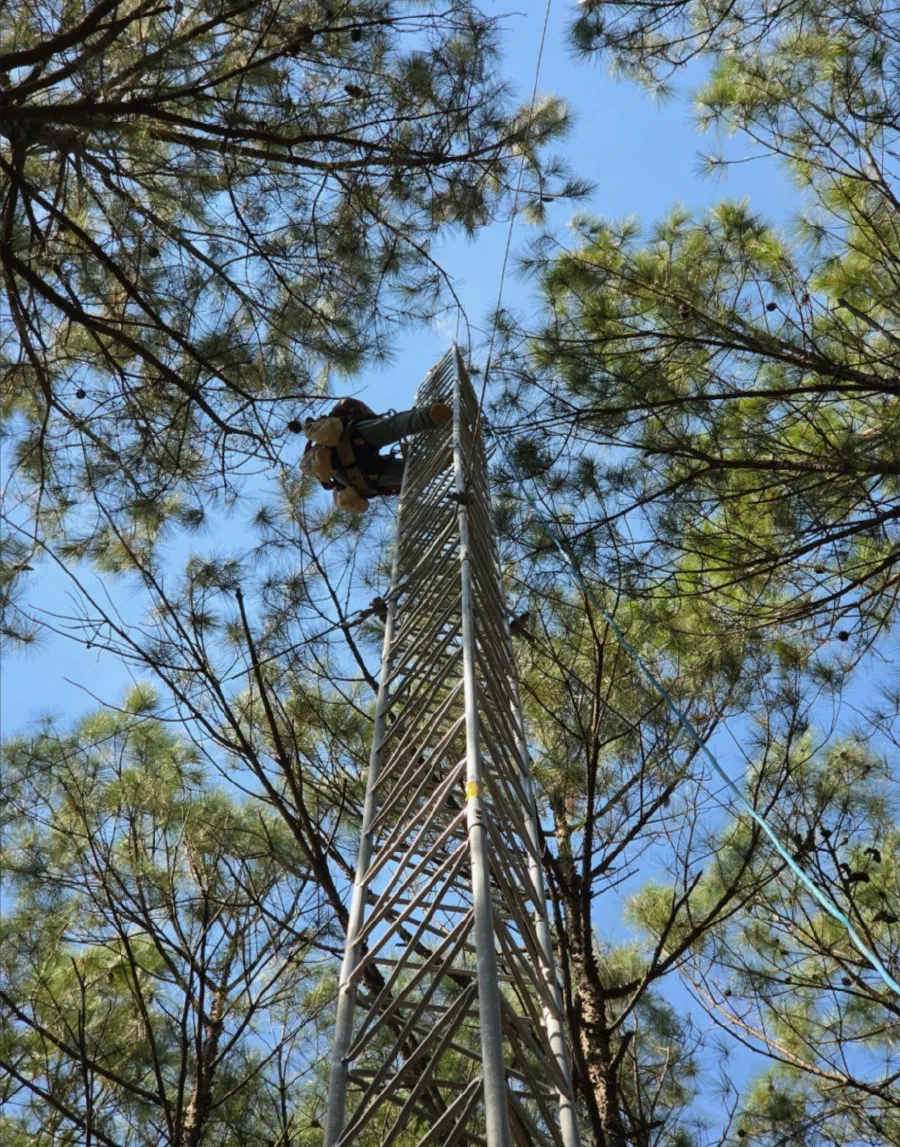
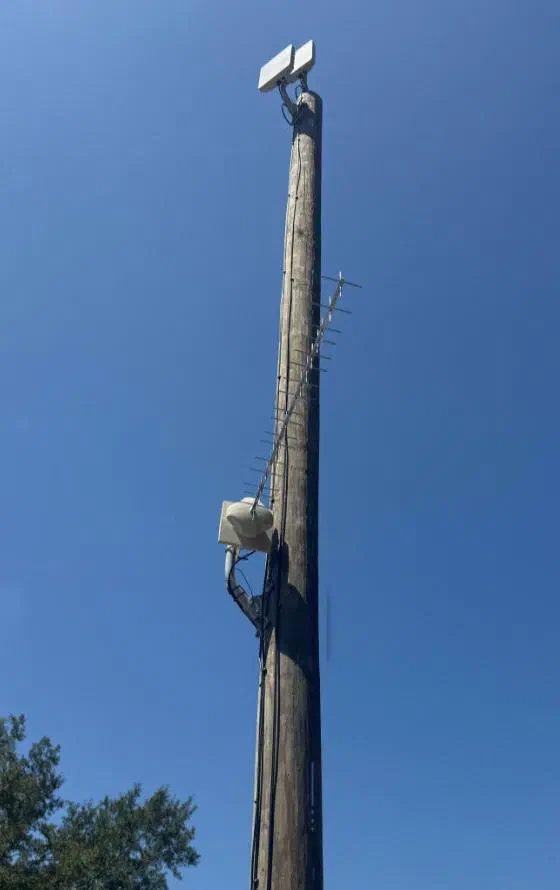
A tall wooden pole against a blue sky with two radios at the top and a Yagi antenna below
Two radios up top and a Yagi riding along below.
  • Witcher is a release candidate. It runs on Titan 4000 Band 48 (CBRS) units. Other models and bands are untested.
  • The factory kernel and modem payload stay untouched. Witcher rebuilds the root filesystem around them, and CI checks every build.
  • Do your first install on a unit you can take out of service. Witcher does not touch the bootloader, and nothing switches banks for you if Linux can’t start.
  • The API, device helper and SSH services ship as pinned binaries. Their source lives in a separate repo.
  • Witcher changes how the unit enforces CBRS grants on its own. You still own your spectrum obligations. Read the notes before you transmit.

Bring your bench unit and what you found.

Find a problem, fix it, and tell the next WISP. That is how this work got good. Bring a bug you can reproduce, a router that acts strange, or a fix someone else can use. Tell us the firmware version, the mode, the router model, the steps and what you saw. Keep passwords and customer data out of shared logs.

Source on GitHub Build it yourself

Rapid5GS

Pairs with Rapid5GS

The Open5GS-based LTE and 5G core built for WISPs. Rapid5GS runs the core on your hardware. Witcher brings the same control to the customer end of the link.

Visit Rapid5GS.com
TheEdgeMile

Learn LTE at TheEdgeMile

Practical guides, field lessons and hardware to build with. Learn how the core, radios, SIMs and customer gear fit together.

Visit TheEdgeMile.com
Josh Lambert

Built by Josh Lambert

Josh runs a WISP in Centreville, Alabama. He built Rapid5GS, and Witcher came from the same habit: when a tool you love needs work, make it better and share it.

Visit JoshLambert.xyz

The radio was never the monster.

Global Telecom built a great radio. Give it software as good as the hardware.

No coin to toss. Take it back to your WISP.